Free vocal rider plugin
B2 Rider .
Keep the vocal right where you want it .
B2 Rider watches how loud the vocal is and moves the gain toward your target, so you ride less by hand .
- Mac / AU + VST3
- Windows / VST3
- Apple silicon and Intel
Watch the demo
See it ride .
What B2 Rider does .
A native vocal rider for your DAW . It aims the vocal at a target level while it hears singing, within gain limits you set .
Target riding
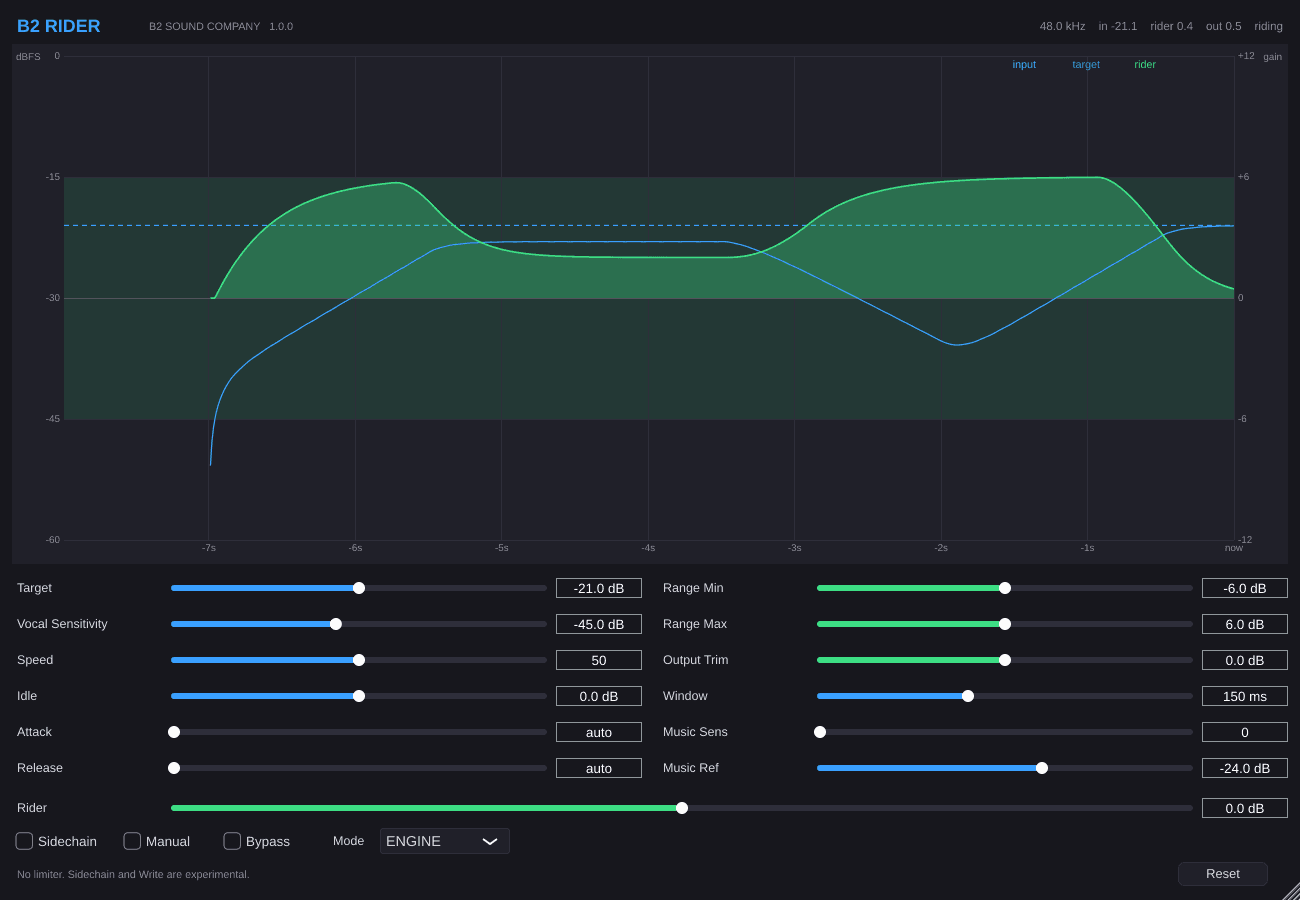
While the vocal is detected, gain moves toward your Target (default −21 dB) . Quiet parts stay quiet . It’s not a gate .
See it ride
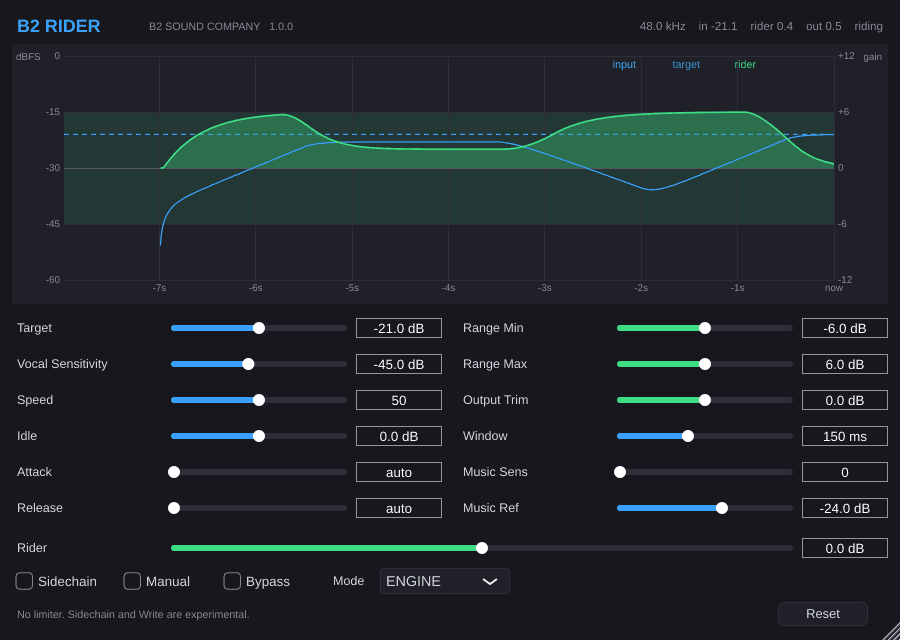
Blue is the vocal level . Dashed blue is your Target . Green is the gain the rider applies, with a band for your min/max range .
Engine, Write and Read
ENGINE rides live . WRITE captures that move into the Rider control . READ plays it back . Flip Manual anytime to take the wheel .
Attack, Release, Speed
How fast gain falls and rises . Leave Attack and Release on auto and use Speed, or set times yourself in milliseconds .
Range and Output Trim
Hard limits on how far the rider can push (defaults −6 / +6 dB) . Output Trim sits after the ride . Bypass returns to unity smoothly .
Reset without clicks
One Reset restores defaults and clears the rider . Closing the window doesn’t wipe settings or stop audio .
Heads up: there’s no limiter, so watch your track meter . Sidechain and Write are experimental .
Controls at a glance .
| Control | Default | What it does |
|---|---|---|
| Target | −21 dB | Level the rider aims at while the vocal is detected . |
| Vocal Sensitivity | −45 dB | Below this, the rider rests . A small band stops chatter . |
| Speed | 50 | 0 is slowest, 100 is fastest (when Attack and Release are auto) . |
| Idle | 0 dB | Gain when the vocal is under the sensitivity threshold . |
| Range Min / Max | −6 / +6 dB | Hard limits on rider gain . |
| Output Trim | 0 dB | Added after the rider . Ignored while Bypass is on . |
| Attack / Release | auto | How fast gain falls and rises . 0 shows as auto . |
| Window | 150 ms | How long the detector listens . |
| Mode | ENGINE | ENGINE rides, WRITE captures, READ plays back . |
| Sidechain | off | Optional music-aware target shift (experimental) . |
Works with your DAW .
B2 Rider is a VST3 and AU plugin . It works in hosts like these .
- Ableton Live
- FL Studio
- Logic Pro
- GarageBand
- Reaper
- Cubase
- Studio One
- Bitwig
Free download
Get B2 Rider 1.0.1 free
Create a free B2 Sound account to download for Mac or Windows.
Already have an account? Sign in
System requirements .
- Mac: Apple silicon and Intel, macOS 11 Big Sur or later
- Windows: 64-bit Windows 10 or later, Intel and AMD
- Formats: AU + VST3 on Mac, VST3 on Windows
First-time install tips .
- Mac: System Settings, then Privacy & Security, then Open Anyway .
- Windows: More info, then Run anyway .
- Then quit and reopen your DAW and rescan plug-ins .